SMH - Simply Magical Healer World of Warcraft AddOn
- Dowloads
- Release Notes
- Options Help - General
- Options Help - Healing
- Options Help - Algorithm
- Options Help - Character Priority
- Options Help - Priority
- Options Help - Overhealing
- Options Help - Profiles
- Options Help - Ranks
- Options Help - Tiers
- Programming using SMH
- Wish List
- How To
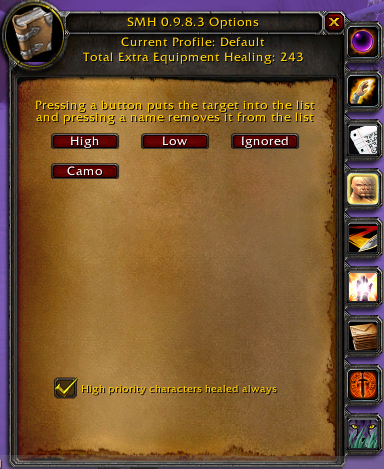
Character priorities can be set to High, Low, and Ignored. If a character does not appear here, the character is treated as normal under all the other rules (like class or raid priority). Ignored characters are not healed. High characters are healed above normal ones, and Low ones are healed below normal ones. To add a character to one of these priority groups make the character your target and then press the button for the group. To remove a character from a group press the character's button.
High priority characters healed always indicates that characters marked with High priority should be healed even if the addon is configured not to heal the party or the raid.